
- Unlimited Flashcards and Quizzes
- Export to Google Forms & file uploads
- Quizzes, MCQ, surveys, assessments & more
- Perfect for Students, Instructors & General use
One payment. No subscription, no renewal.
Google Forms has no equation editor. This free Chrome extension puts fractions, square roots, integrals, matrices and chemical formulas into your questions and answer options. It can even write the whole math quiz for you from a prompt, PDF or Google Doc.
Free to start · Works in any Google Form you can edit · Students need nothing installed
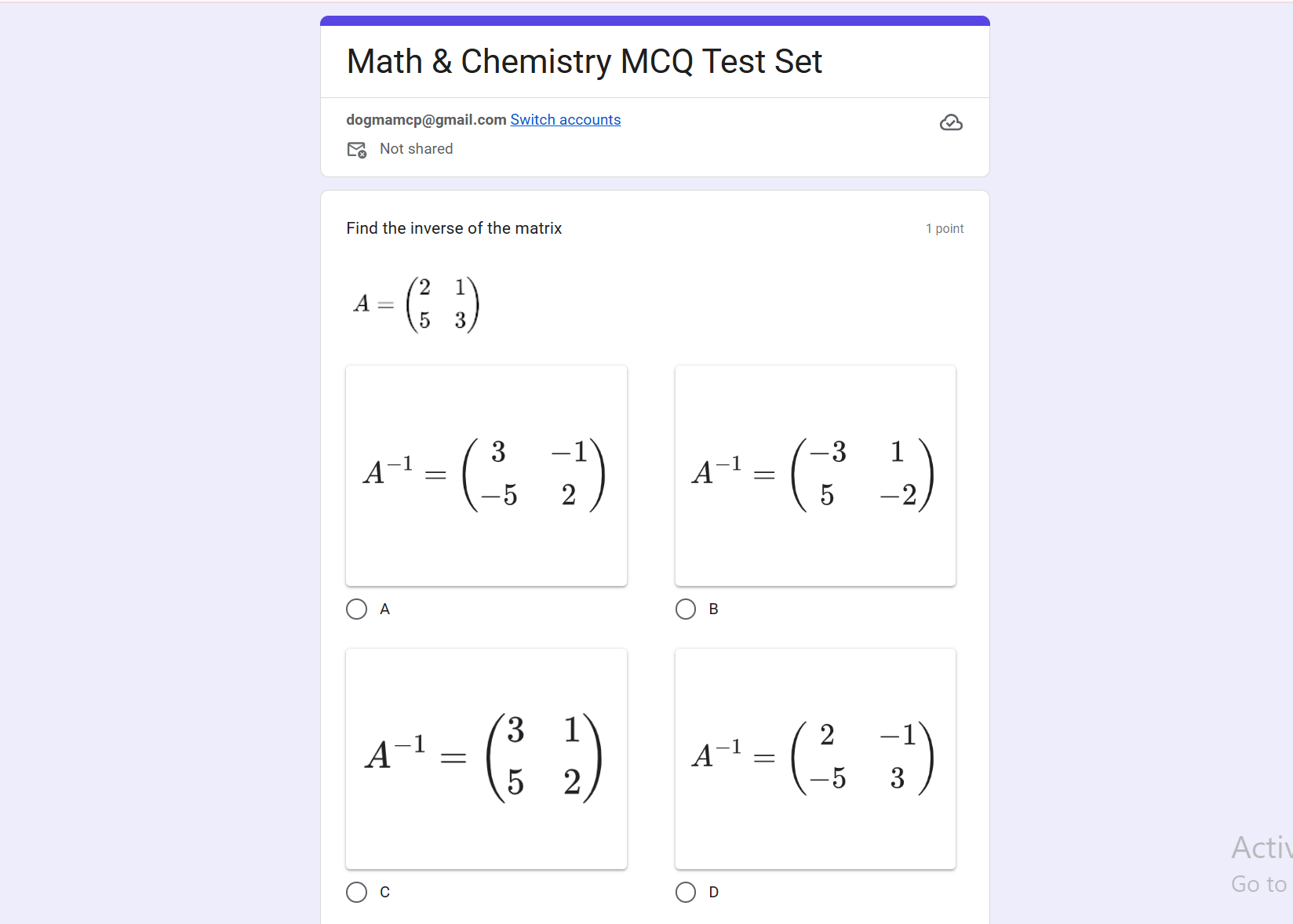
Not on its own. Google Forms questions and answer options are plain text, and there is no equation editor. Fractions end up as “3/4”, exponents as “x^2”, and chemical formulas lose their subscripts.
The usual fixes are slow: type the math as plain text, screenshot each equation and upload it as an image, or pay for an equation editor. Math Equations for Google Forms does it for you. Simple math becomes real text (x², ½, √x, π, ≤), and anything more complex becomes a sharp image, in both the question and the answers.
Five steps, about two minutes. No LaTeX knowledge needed.
Add it to Chrome and sign in with Google.
Open a form in edit mode, or any tab for a new form, and click the extension.
Describe the quiz, upload a PDF or photo, or import Google Docs, Slides or Sheets.
Multiple choice, checkboxes, short answer or mixed; how many questions; easy, medium or hard.
The questions appear in the form with the equations and answer key in place.
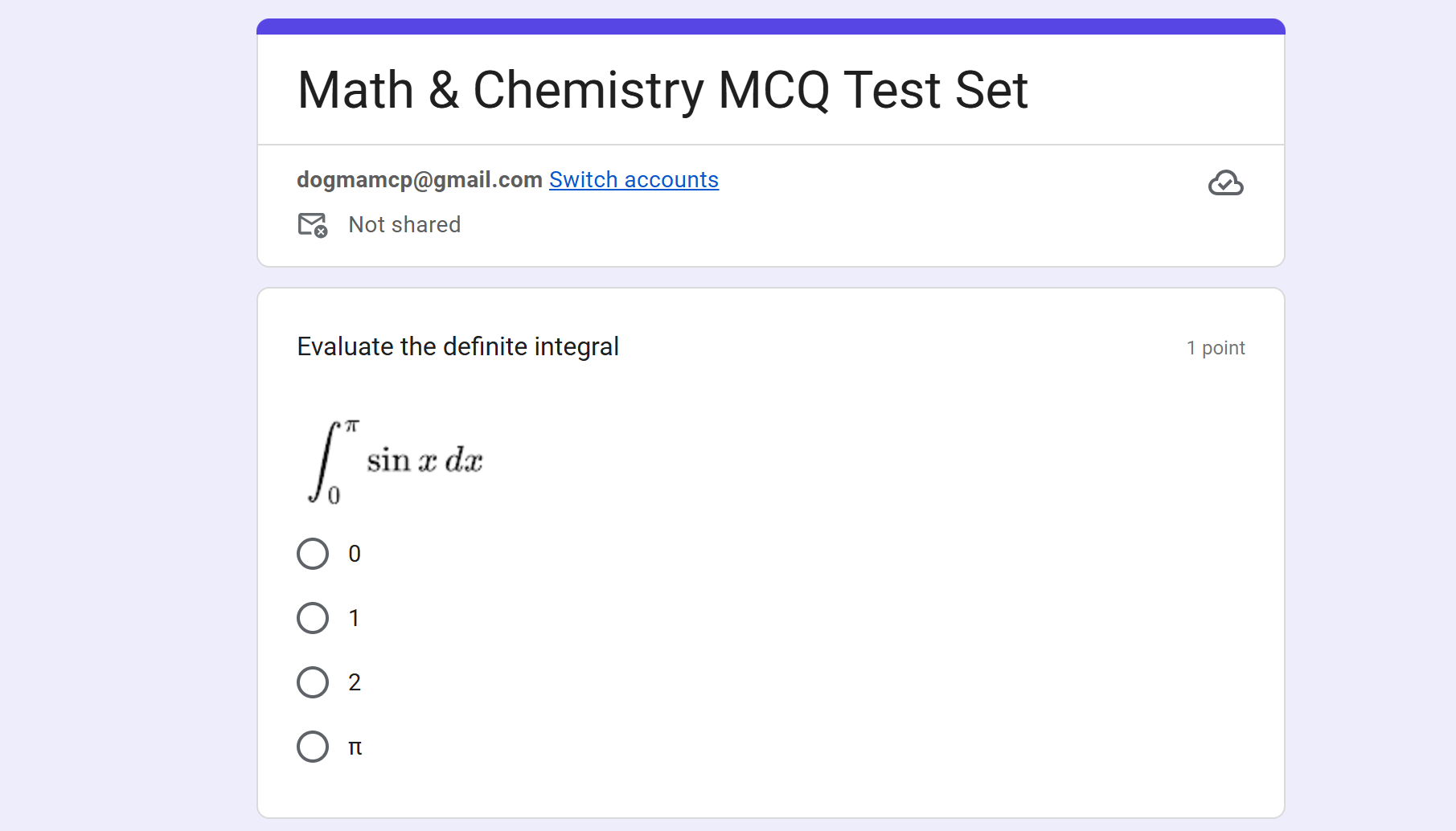
Exponents, fractions, roots and symbols as clean text.
Stacked fractions, integrals, limits and matrices as sharp images.
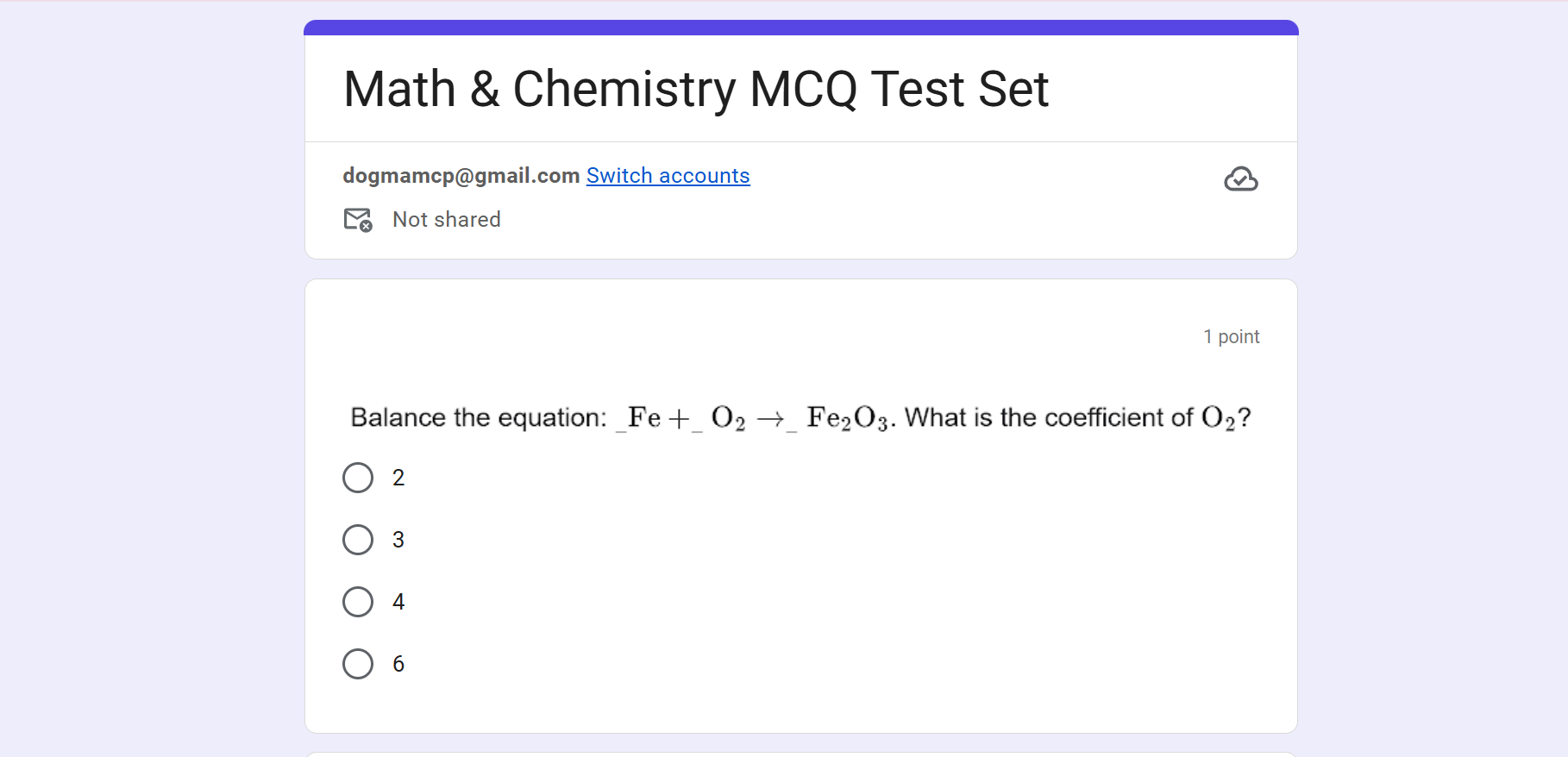
Formulas, charges and reaction arrows with proper subscripts.
No more typing x^2 or 3/4. Questions and answers look like a printed worksheet.
Integrals, limits, derivatives, matrices, sums and Greek letters.
Formulas, ions like Fe³⁺, balancing, moles and stoichiometry.
Paste LaTeX into your prompt or worksheet and it becomes proper math.
| Method | Looks right | Speed | Answer key | Cost |
|---|---|---|---|---|
| Type it as plain text (x^2, 3/4) | No | Fast | By hand | Free |
| Screenshot each equation and upload it | Yes | Very slow | By hand | Free |
| Online equation editor, then paste the image link | Yes | Slow | By hand | Free |
| Paid equation editor extensions | Yes | One equation at a time | By hand | Paid |
| Math Equations for Google Forms | Yes | Whole quiz in seconds | Automatic | Free to start |
Algebra, geometry, trigonometry and calculus quizzes with proper notation and self-grading.
Balancing equations, formulas and stoichiometry with real subscripts and arrows.
Formulas, units like kg·m²/s² and vectors, in questions and answers.
Turn worksheets and past papers into Google Forms practice tests in seconds.
Stop screenshotting equations. Describe the quiz or upload a worksheet, and get a self-grading Google Form with math that looks right.
Free to start on the Chrome Web Store.