Quizzes and assessments
Generate multiple-choice, true-or-false, checkbox, dropdown, short-answer and mixed quizzes with answer keys and points.
See the workflowForm Builder GPT helps you create quizzes, surveys, registration forms, feedback forms and questionnaires directly inside Google Forms. Start with a prompt or import existing content, review every field, then add it to your form or export it as a document.
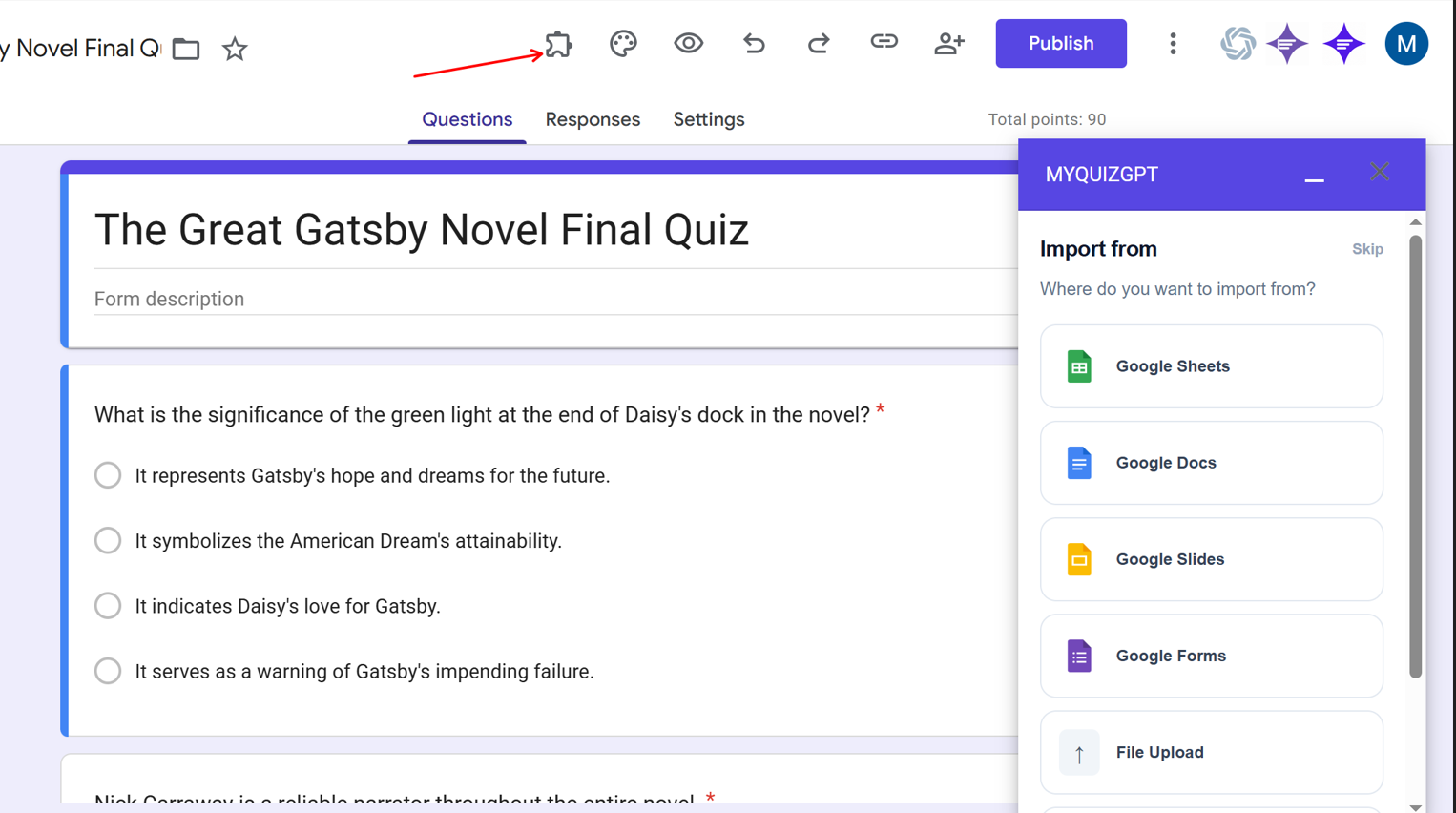
Form Builder GPT is a Google Forms Editor add-on for building quizzes, surveys, registration forms, feedback forms, questionnaires, applications and intake forms. Start from a prompt or a file you select, review the generated structure, and decide whether to add it to the form you have open or export it as a fillable PDF, Google Docs document or Microsoft Word file.
Only need a practice quiz? Use the quiz-focused Google Forms add-on instead.
Work inside the Google Form you already have open. Form Builder GPT keeps generated content in preview until you decide what to add or export.
Start a new form or open the existing Google Form where you want to work.
Choose Extensions, select Form Builder GPT, and click Start.
Write a prompt, select a supported Google Drive file, or upload content from your computer.
Edit fields, inspect choices and answers, adjust points, and select what you want.
Add selected fields to the form, or export to fillable PDF, Google Docs or Word.
Form Builder GPT keeps the workflow inside Google Forms. Import content from Google Drive or your computer, choose the form format, inspect every generated field, and use only the result you approve.
Fastest path
Prompt or file → Form Builder GPT → Add or export
Install from MarketplaceChoose a quiz, survey, registration, feedback form, questionnaire, application or mixed form. Form Builder GPT adjusts the field types and structure to match.
Generate multiple-choice, true-or-false, checkbox, dropdown, short-answer and mixed quizzes with answer keys and points.
See the workflowCreate focused questions with suitable choices, scales and open-response fields for useful feedback.
Read common questionsCollect contact details, preferences, session choices and the information needed for events, applications or onboarding.
See supported sourcesSelect a file you control in Google Drive, upload a supported document, or start from an ordinary prompt. The original source stays unchanged.
Edit wording, inspect choices and answer keys, adjust points, remove unwanted fields and select only the result you want.
Use the generated fields in the open Google Form, or create a document version for a different audience.
Add only the fields you select to the Google Form you currently have open.
Download a portable form with interactive response fields for offline completion.
Create an editable document in Google Drive from the reviewed form structure.
Download an editable DOCX version of the generated form.
Open up to ten recent results associated with the current Google Form. Reuse a saved preview to add more fields or choose another export format without generating it again.
Create surveys, registrations, feedback forms, applications and mixed forms alongside quizzes.
Open the Google Workspace add-on from the Extensions menu without switching tools.
Check wording, response types, and any answer key before sending your Form.
Add to Google Forms or export the reviewed result as PDF, Google Docs or Word.
Create quizzes, course feedback, student surveys and workshop registrations.
Build attendee registrations, session choices, applications and post-event feedback.
Draft questionnaires, screening forms and structured surveys from study materials.
Build onboarding forms, internal surveys, training assessments and project intake forms.
Open Google Forms, launch Form Builder GPT from the Extensions menu, and create the structure you need without rebuilding every field manually.