Install from the Marketplace
Add MyQuizGPT to your Google account from its official Google Workspace Marketplace listing.
Open the Marketplace listingInstall the MyQuizGPT Google Forms add-on from the Google Workspace Marketplace. Use the AI Google Form maker and quiz generator to create questions from a prompt or import Google Docs, Google Sheets, Google Slides, Google Forms, PDFs, DOCX, CSV, and TXT files.
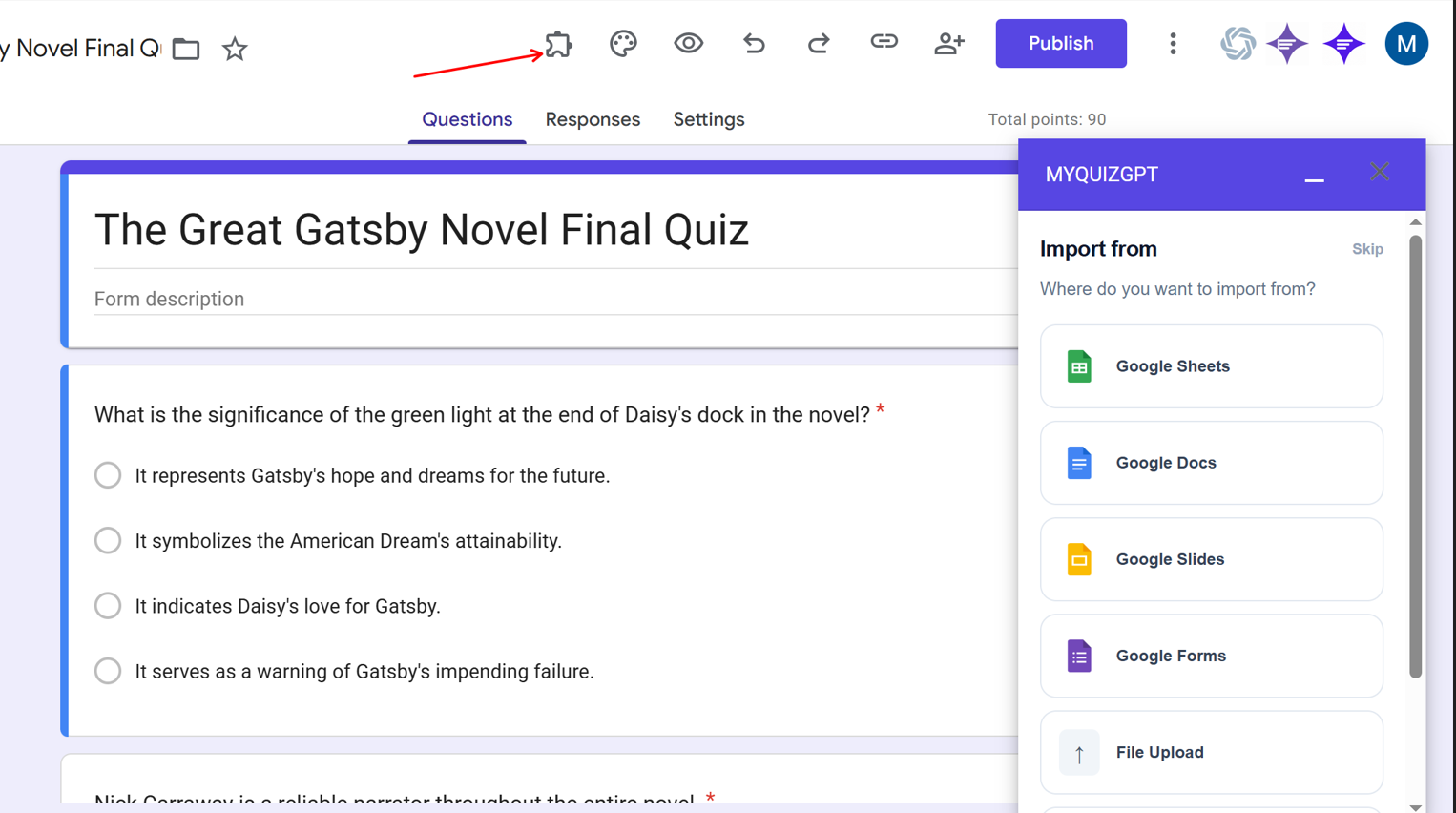
MyQuizGPT is a Google Forms add-on that works as an AI form builder and quiz generator. Install it from the Google Workspace Marketplace, open a new or existing form, and launch MyQuizGPT from the Extensions menu. Start with a prompt or import one file you choose, review the generated questions, and add only the questions you want.
Only need a practice quiz? Create a practice quiz instead.
Find MyQuizGPT in the Google Workspace Marketplace, install the Google Forms add-on, and create or import quiz questions directly inside Google Forms.
Open the official MyQuizGPT listing in the Google Workspace Marketplace.
Click Install and approve the Google Workspace permissions shown for the add-on.
Open a new form or the existing Google Form where you want to build a quiz.
Choose MyQuizGPT from the Extensions menu to open the add-on inside Google Forms.
Enter a prompt or import a file, review the questions and answers, then add your selections to the form.
Use the Google Workspace add-on to import questions from a supported file or generate them from a prompt. MyQuizGPT keeps the workflow inside Google Forms and lets you review each question before adding it.
Fastest path
Marketplace → Google Forms → MyQuizGPT → Quiz
Install from MarketplaceInstall the Google Forms add-on, open it from the Extensions menu, and build your quiz without leaving Google Forms.
Add MyQuizGPT to your Google account from its official Google Workspace Marketplace listing.
Open the Marketplace listingOpen a form, choose Extensions, and launch MyQuizGPT without leaving your Google Workspace workflow.
See the installation stepsUse a prompt, upload a supported file, or import selected content from Google Drive. Review the output before adding it to the form.
Read common questionsInstall MyQuizGPT from its approved Google Workspace Marketplace listing.
Open the Google Workspace add-on from the Extensions menu without switching tools.
Check wording, response types, and any answer key before sending your Form.
Generate from prompts, uploads, or supported files selected from Google Drive.
Turn lesson notes into quizzes for students quickly.
Create practice quizzes from reading materials or notes.
Build structured assessments from teaching content.
Convert internal documents into training quizzes.
Install the Google Workspace add-on from the Marketplace and create your next quiz directly inside Google Forms.